Avoid the Consequences of Implementing the Wrong Business Payment Solution
Upgrade to Vantage Level 3 Payment Processing to qualify for the best available Interchange rates on both Commercial & Consumer card transactions

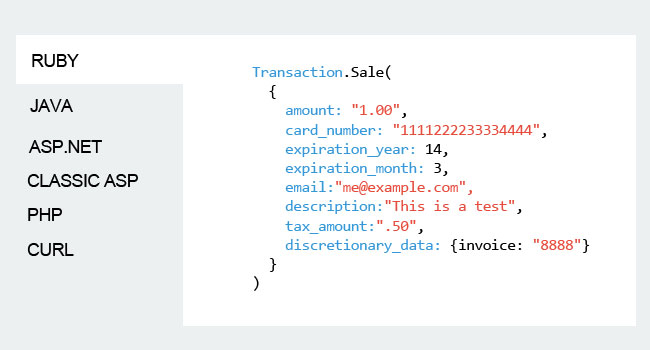
Developer Friendly
A Modern, Feature-Rich payments API for system integrators with a business-to-business (B2B) customer focus.
- Code Samples in your language
- Free Test accounts & responsive support
- Detailed API integration guide
- Consumer, Commercial, Government & International
- Submit line item detail for Level 3 Interchange
- e-check/ACH transactions
- Free Tokenization; client side encryption
- Free customer vault
- Rev Share
- & more
What we discovered is that most of our customers needed Level 3 processing
Sunil Kumar Greenestep CEO
EMV for B2B & GSA
Does the liability shift and the GSA's government chip-card purchasing program have EMV processing on your radar? Let us help.
- Intelligently designed developer tools and support to add EMV chip-card acceptance to your existing business systems and processes.
- Specifically developed EMV solution to included required invoice level data to achieve Visa Level 3 and MasterCard Data Rate 3 Interchange qualifications.

Talk with a Vantage Payment Advisor
Arrange for a private consultation to discuss B2B Level 3 purchasing card and GSA payment processing; API integrations to ecommerce and ERP platforms; and tokenization data security solutions.